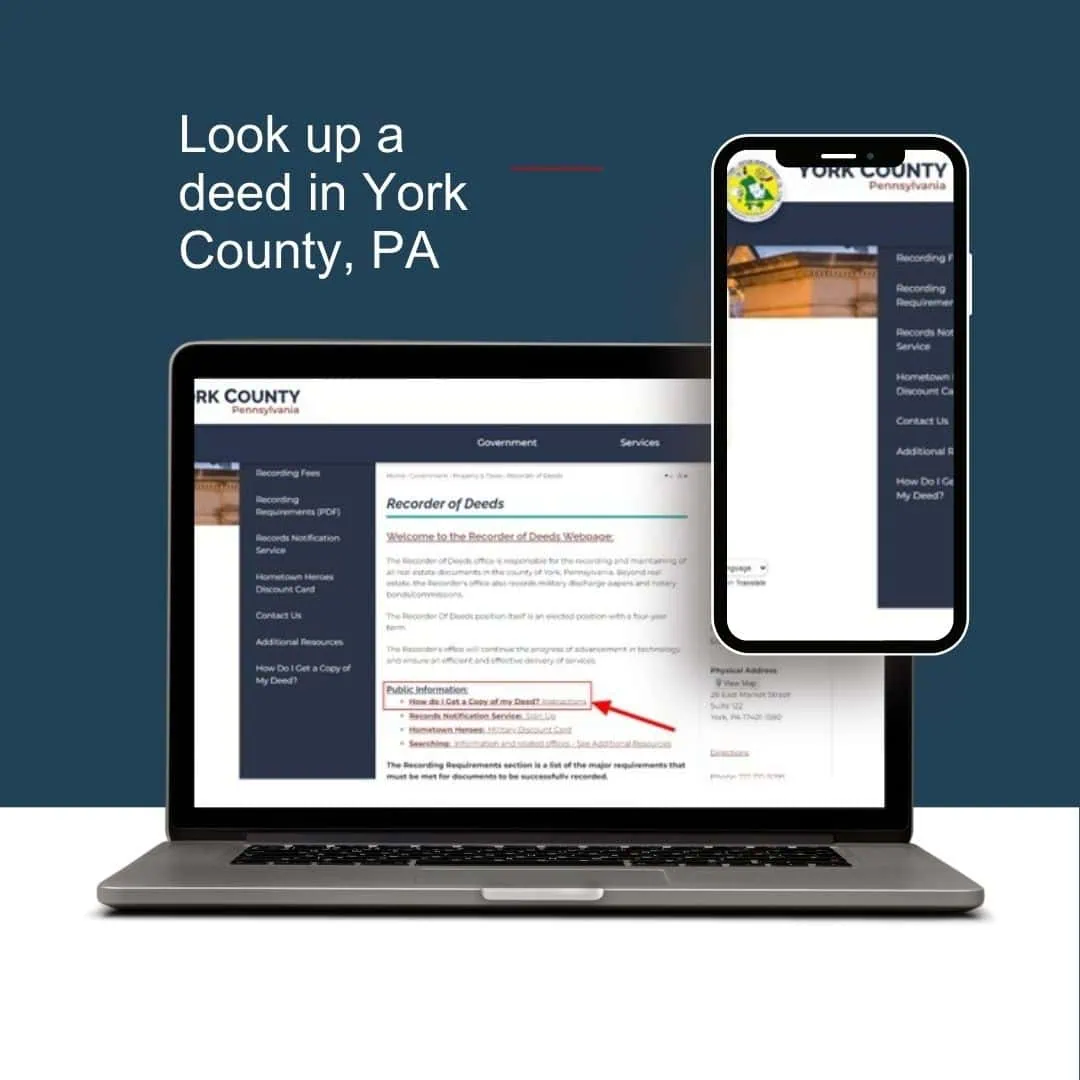
Searching public records for property ownership is not as complicated as you may think. Every property is indexed with the Recorder of Deeds Office and anyone can find the owner of a particular property by entering a few pieces of information. Below is what the page will look like and how to navigate the site.
Step 1: Find Your Deed Book and Page Number
Before you can pull a digital copy of a deed, you need its exact filing coordinates, known as the Deed Book and Page Number. If you do not have these handy, you can find them for free through the York County Real Estate Assessment Database.
Visit the York County Recorder of Deeds website and proceed as follows:
- Under Public Information, click on How do I get a copy of my Deed?
- Get the Book and Page number of your recorded Deed by going to York County’s Real Estate Assessment Database.
- Click Agree.
- Enter your first and last name, property address and/or Parcel Number into the Basic Search.
- Click on the correct property result, and click on Owner in left menu.
- The Book and Page Number of your Deed will be displayed in the middle of the screen.
Step 2: Retrieve the Deed Online
With your Book and Page numbers secured, you can now access the actual recorded deed through Landex, York County’s official recording vendor.
- Click the Landex Public Records Access link.
- Choose your access path based on how often you need records:
- Landex Webstore: Ideal for infrequent public users. This path allows you to pay per document view or download using a credit card.
- Landex Remote: Designed for high-volume users, title searchers, or marketing professionals who require regular access via a downloaded desktop client.
- Once inside the search portal, ensure YORK is selected under the Pennsylvania county dropdown menu.
- Set the Document Type filter to DEED.
- Enter your target Book Number and Page Number into the designated search fields and click Search.
- Select your record from the search results to view the digital document details. Copies can be downloaded or printed directly from the portal for a nominal fee (typically $0.50 to $0.80 per page depending on the platform access level).
Looking for Historical Records?
The Landex system contains digital records from 1944 to the present. If you are researching a historical property or an ancestral deed recorded between 1749 and 1980, use the Info Quick Solutions (IQS) portal linked on the Recorder of Deeds resource page instead.
Alternative: In-Person and Mail-In Requests
If you prefer not to use the online portals, public records can be reviewed for free at the physical office.
- In Person: Public computers are available at the York County Administrative Center (28 East Market Street, Suite 122, York, PA). While searching is free, printing physical copies on-site costs $0.50 per page. Note that the use of phones or cameras to photograph record screens is strictly prohibited.
- By Mail: You can submit a written request to the Recorder of Deeds office. Ensure you include the property address, owner name, your return address, and a check covering the copying fees.
The information presented on this web site is not legal advice and does not create an attorney-client relationship. The materials on the site for Zulli Law PLLC and Capstone Land Transfer, LLC (collectively ‘Capstone’) are given ‘as is.’ Capstone may revise its terms of use for its website at any time without notice. By using this site you are agreeing to be bound by the ten current version of these Terms and Conditions of use. Copyright © 2024